
Download ClamXav – Free Mac Virus Checker, Secure Scanning & Real‑Time Protection
Overview
As macOS continues its steady rise in popularity, the platform is no longer immune to malware threats. While the overall risk remains lower than on Windows, savvy users still want a safety net that won’t break the bank. ClamXav answers that call by offering a completely free virus‑checking solution powered by the well‑known ClamAV engine.
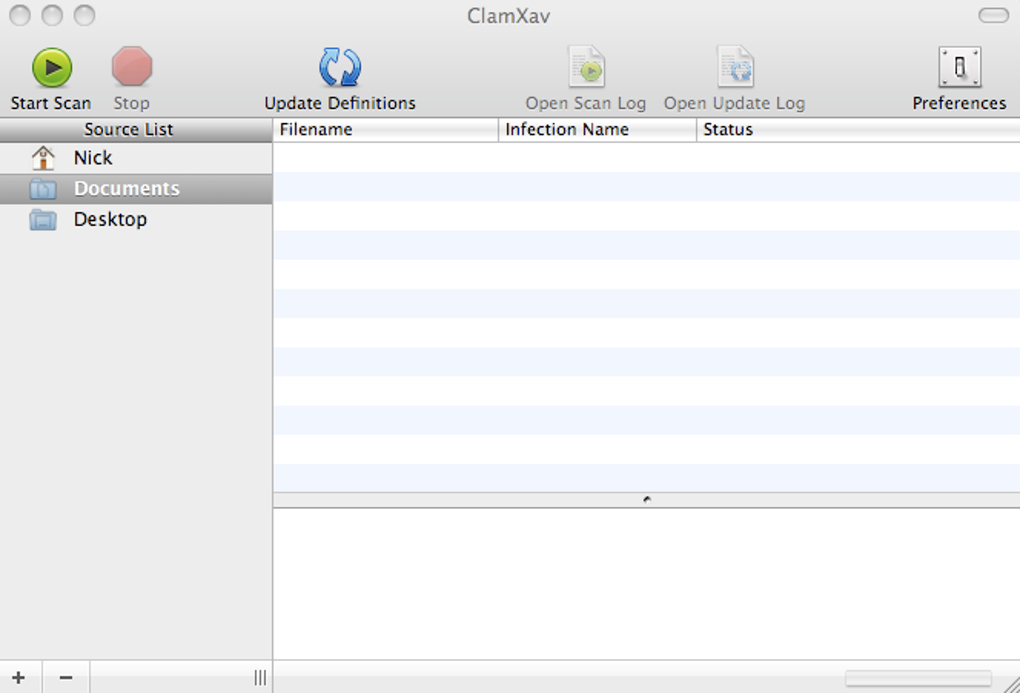
The application can perform deep, full‑system scans, examine individual folders, and even monitor file changes in real time through its “Sentry” feature. Recent updates have swapped the old Java‑based UI for a sleek Objective‑C interface, making the tool feel more native on macOS. Although the installation process is a bit involved—requiring a separate ClamAV engine and a cleanup script—once set up, ClamXav provides regular database updates and a straightforward experience for both casual users and power users who need occasional on‑demand scanning.
The trade‑off is speed; full system scans can be slow, but the Sentry mode offers a lightweight alternative for continuous protection. In short, ClamXav is a solid, zero‑cost option for Mac owners who want a trustworthy scanner without the subscription fees of commercial antivirus suites.
Key Features & Installation Guide
- Free, open‑source virus engine (ClamAV) integrated for macOS.
- Full‑system scanning with customizable schedule (day & hour).
- Folder‑level scanning for quick checks of specific directories.
- Real‑time monitoring via “Sentry” to detect changes in files and folders.
- Automatic virus‑definition updates ensuring the latest threats are covered.
- Simple, native macOS interface built with Objective‑C.
- Log files stored in a user‑accessible location for easy troubleshooting.
Step‑by‑Step Installation
1. Download the installer from the official ClamXav website. The package includes the ClamXav app bundle and a separate ClamAV engine archive.
2.
Open the .dmg file and drag the ClamXav icon to your Applications folder.
3. Run the bundled script (found inside the installer) to extract and install the ClamAV engine. This step requires admin privileges and may prompt you for your password.
4.
Execute the cleanup script that removes temporary files and ensures the engine is correctly linked to the app.
5. Launch ClamXav for the first time. The program will prompt you to download the latest virus‑definition database—allow it to complete this step before proceeding.
6.
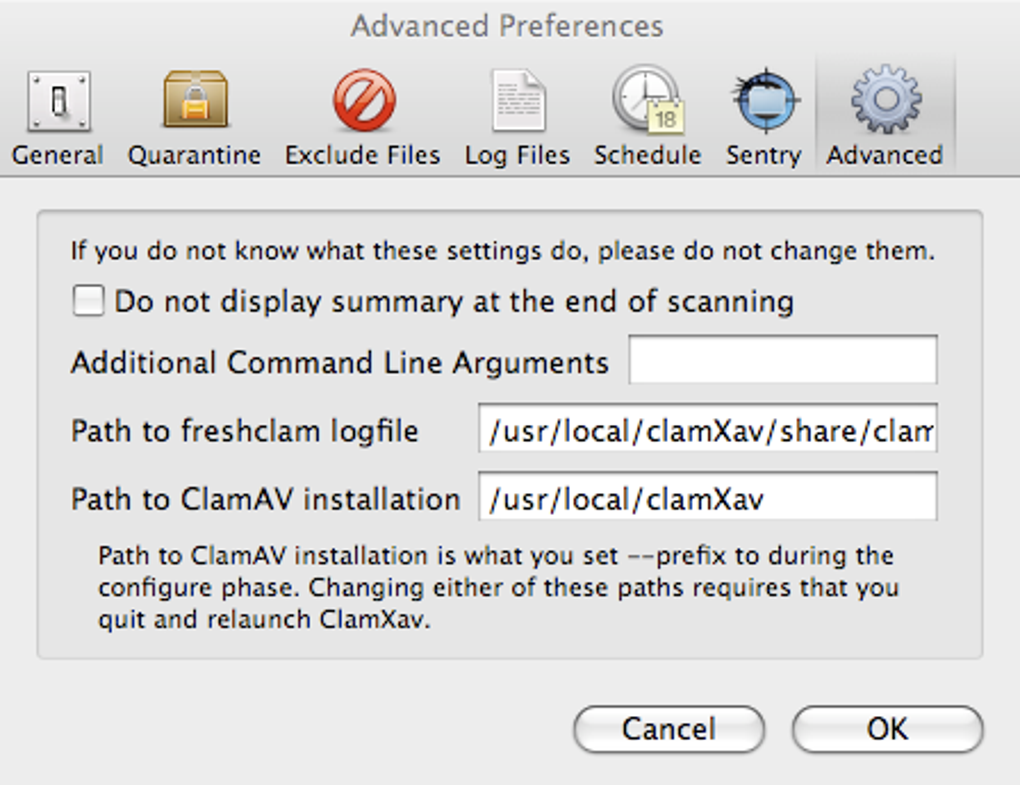
Configure your scan schedule under Preferences → Scheduling. Choose a low‑usage time (e.g., 2 AM on weekends) to minimize impact on performance.
7. Enable Sentry if you prefer continuous monitoring.
Navigate to Preferences → Sentry and select the folders you wish to protect.
The entire process typically takes 10‑15 minutes, depending on your internet speed for the definition updates. While the extra script steps add a layer of complexity compared with a single‑click installer, they also give you transparency about what is being added to your system—a comforting factor for security‑focused users.
Compatibility, Performance & Real‑World Usage
ClamXav is designed exclusively for macOS. Officially it supports macOS 10.13 (High Sierra) and newer, including the latest Ventura and Sonoma releases. The application runs natively on Intel‑based Macs as well as Apple Silicon (M1/M2) thanks to Rosetta 2 translation when needed, though performance is generally better on native Apple Silicon builds.
Performance considerations are where ClamXav shows its limitations. Full system scans can be noticeably slower than those performed by commercial competitors, especially on drives with large numbers of files or when scanning external volumes. Users report that a complete scan of a 500 GB drive may take upwards of 2‑3 hours. This slowdown is largely due to the underlying ClamAV engine, which prioritizes detection accuracy over speed. However, scanning individual files or small folders is reasonably quick, often completing in seconds.
The Sentry mode mitigates this issue by focusing on real‑time monitoring rather than brute‑force scans. When enabled, Sentry watches the selected directories and triggers a quick scan only when a file is added, modified, or accessed. This approach reduces CPU usage and keeps the system responsive during regular work hours. In practice, many users adopt a hybrid strategy: schedule a full nightly scan during off‑hours and keep Sentry active for critical folders like Downloads, Documents, and any development directories.
Resource usage is modest. During idle monitoring, ClamXav consumes less than 5 % of CPU and a few megabytes of RAM. During an active full scan, CPU usage can climb to 30‑40 % on older machines, which is expected. The app also respects macOS power‑management settings, automatically throttling itself when the battery is low or the system is in sleep mode.
Overall, ClamXav is a secure, free option for Mac users who are comfortable managing scan schedules and can tolerate slower full scans. Its compatibility across macOS versions and hardware platforms, coupled with regular definition updates, makes it a viable defensive layer, especially for users who supplement it with good browsing habits and regular system updates.
Pros, Cons, FAQ & Final Verdict
Pros
- Completely free with no hidden subscription fees.
- Powered by the reputable ClamAV engine and receives frequent definition updates.
- Native macOS interface after the recent Objective‑C redesign.
- Flexible scheduling and real‑time “Sentry” monitoring.
- Works on both Intel and Apple Silicon Macs.
Cons
- Installation requires extra steps and a cleanup script.
- Full system scans are slower compared with many commercial solutions.
- Sentry can occasionally crash on rare macOS versions (though recent patches address this).
- Lacks advanced features such as ransomware protection, VPN integration, or phishing filters.
Frequently Asked Questions
Is ClamXav safe to install on my Mac?
Yes. ClamXav uses the open‑source ClamAV engine, which is widely vetted by the security community. The installer is signed by the developer, and the optional cleanup script removes temporary files after installation.
How often are virus definitions updated?
ClamXav automatically checks for updates daily. You can also trigger a manual update from the Preferences pane.
Can I use ClamXav on macOS Ventura?
Yes. The latest release is fully compatible with macOS 10.13 and later, including Ventura and Sonoma.
Does ClamXav affect system performance?
During idle monitoring, impact is minimal. Full scans can be CPU‑intensive and may slow the system, which is why scheduling them for off‑hours is recommended.
Is there a paid version with more features?
ClamXav is entirely free. For users seeking advanced protection (e.g., ransomware shields, VPN), third‑party commercial suites are available, but they are not required for basic malware detection.
Conclusion & Call to Action
If you’re looking for a no‑cost, reliable way to keep your Mac safe from the occasional malware or trojan, ClamXav delivers the essentials without demanding a subscription. Its free nature, regular definition updates, and native macOS UI make it an attractive option for budget‑conscious users. While the slower scan times and extra installation steps may deter some, the ability to schedule scans and enable real‑time Sentry monitoring provides a flexible security posture that fits most workflows. For anyone who already practices good security hygiene—regular OS updates, cautious downloading, and backup routines—adding ClamXav creates an extra safety net with virtually no downside.
Ready to protect your Mac without spending a dime? Download ClamXav now, follow the quick installation guide, and schedule your first scan today. Stay secure, stay fast, and enjoy peace of mind knowing your Mac has a dedicated, free virus checker working in the background.







